Configuration
All runtime configuration lives in Admin → Settings. Changes take effect immediately — no server restart or cache clear needed.
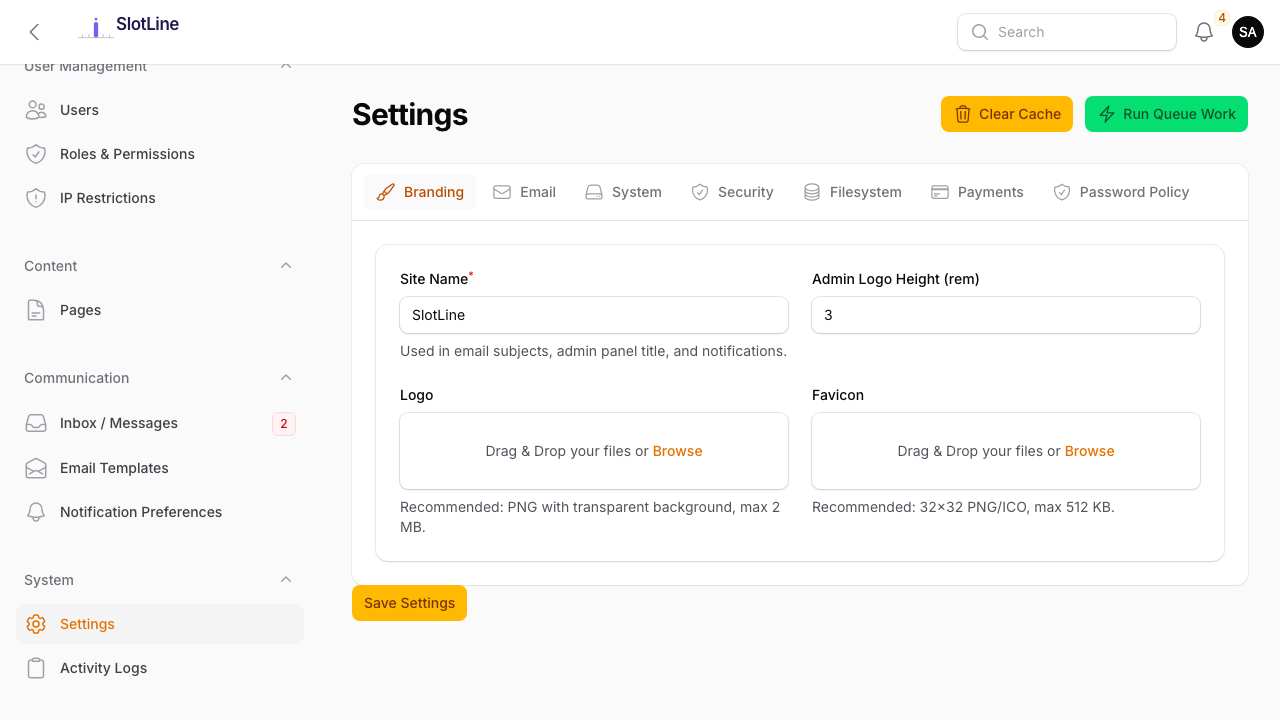
Branding
| Setting | Description |
|---|---|
| Site Name | Shown in email subjects, browser title, and admin panel header |
| Logo | PNG/SVG upload — transparent background recommended, max 2 MB |
| Favicon | 32×32 or 64×64 PNG/ICO, max 512 KB |
| Admin Logo Height | Display height in rem (default: 3) |
{primary.fa-image} Use a PNG with a transparent background — the logo appears in emails and on booking pages that may have light or dark backgrounds.
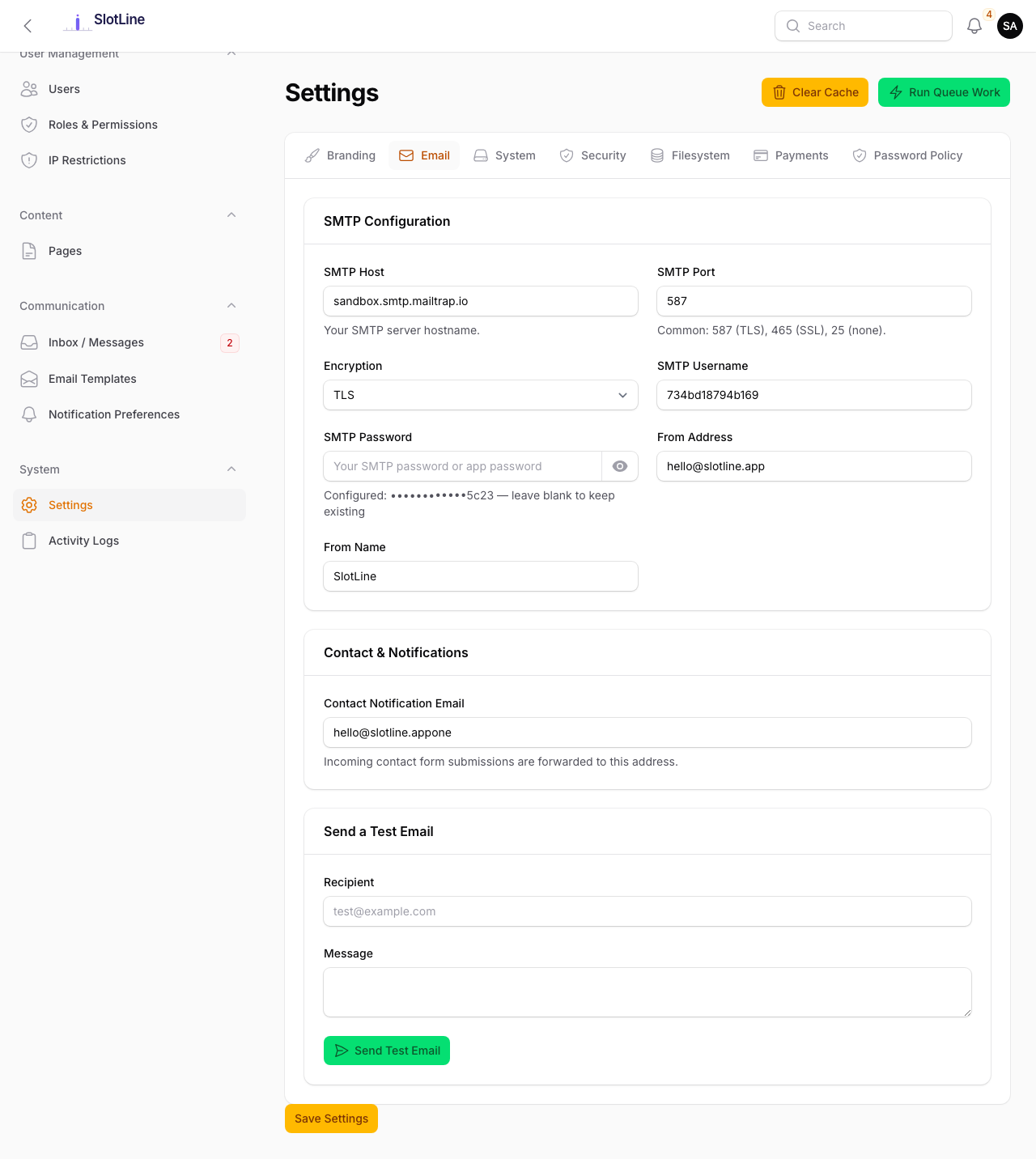
Email (SMTP)
| Setting | Example Value |
|---|---|
| SMTP Host | smtp.sendgrid.net |
| SMTP Port | 587 (TLS) / 465 (SSL) |
| Encryption | tls or ssl |
| Username | your SMTP login |
| Password | your SMTP password |
| From Address | [email protected] |
| From Name | Slotara |
Recommended providers:
| Provider | Host | Notes |
|---|---|---|
| Mailgun | smtp.mailgun.org:587 |
Best deliverability |
| SendGrid | smtp.sendgrid.net:587 |
Free tier: 100/day |
| Postmark | smtp.postmarkapp.com:587 |
Fastest delivery |
| Amazon SES | email-smtp.us-east-1.amazonaws.com:587 |
Cheapest at scale |
Use the Send Test Email button at the bottom of the Email tab to verify your configuration before going live.
System Settings
| Setting | Description |
|---|---|
| Maintenance Mode | Disables all public-facing pages with a custom message |
| Maintenance Message | The text shown to visitors while in maintenance mode |
| Timezone | Affects all date/time display across all panels |
| Date Format | Choose from ISO (2025-06-15), US (06/15/2025), European (15/06/2025), or verbose |
| Time Format | 24-hour (14:30) or 12-hour (2:30 PM) |
{warning.fa-wrench} Maintenance Mode disables public booking pages and the API. Admin and Business panels remain accessible to logged-in users.
Security
| Setting | Default | Description |
|---|---|---|
| Session Timeout (minutes) | 120 |
Inactivity period before automatic logout |
| Max Login Attempts | 5 |
Failed attempts before account is locked |
| Lockout Duration (minutes) | 30 |
How long an account stays locked after too many failures |
| Force HTTPS | off | Redirects all HTTP requests to HTTPS |
| Google reCAPTCHA v3 | off | Invisible bot protection on the contact form |
| reCAPTCHA Site Key | — | From Google reCAPTCHA console |
| reCAPTCHA Secret Key | — | From Google reCAPTCHA console |
{danger.fa-lock} Enable Force HTTPS only after confirming your SSL certificate is active. Enabling it without a valid cert will lock you out of the admin panel.
Payments (Stripe)
| Field | Where to Find It |
|---|---|
Publishable Key (pk_live_...) |
Stripe Dashboard → Developers → API Keys |
Secret Key (sk_live_...) |
Stripe Dashboard → Developers → API Keys |
Webhook Signing Secret (whsec_...) |
Stripe Dashboard → Developers → Webhooks |
Setup steps:
- Log in to your Stripe Dashboard
- Go to Developers → API Keys and copy both keys
- Go to Developers → Webhooks → Add Endpoint
- Set URL:
https://yourdomain.com/stripe/webhook - Select event:
checkout.session.completedandcheckout.session.expired - Save and copy the Signing Secret
- Paste all three values into Admin → Settings → Payments
{primary.fa-terminal} For local dev, use the Stripe CLI:
stripe listen --forward-to localhost:8000/stripe/webhook— it provides a temporary signing secret that works on localhost.
Filesystem (S3)
By default, all uploads are stored locally in storage/app/public/. To switch to Amazon S3:
- Set Default Disk to
S3 - Enter your AWS credentials:
| Field | Description |
|---|---|
| Access Key ID | From AWS IAM → Your User → Security Credentials |
| Secret Access Key | Shown once when created in IAM |
| Default Region | e.g. us-east-1 |
| Bucket | Your S3 bucket name |
| URL | Optional — CDN or custom domain for public files |
| Endpoint | Only for S3-compatible providers (e.g. Cloudflare R2, MinIO) |
- Save — new uploads go to S3 immediately. Old local files are not automatically migrated.
{warning.fa-cloud} Ensure your S3 bucket allows public read for tenant images (avatars, service images). Use a bucket policy or ACLs — do not make the entire bucket world-writable.
Password Policy
| Setting | Default | Description |
|---|---|---|
| Minimum Length | 8 |
Minimum character count required |
| Require Uppercase | off | Must include A–Z |
| Require Lowercase | on | Must include a–z |
| Require Numbers | off | Must include 0–9 |
| Require Special Characters | off | Must include !@#$% etc. |
| Password History Count | 5 |
Cannot reuse the last N passwords |
| Password Expires After (days) | 0 |
Set to 0 to disable expiry |
| Max Login Attempts | 5 |
Before lockout |
| Lockout Duration | 30 min |
After too many failed attempts |
The minimum password length is reflected live in the registration form placeholder text so users know the requirement before typing.