Clients
- What It Shows
- Client Columns Explained
- Viewing a Client's Bookings
- Filtering & Export
- Notes & Behaviour
What It Shows
The Clients section is a live CRM view automatically built from your booking history. No manual data entry — every client who books with you appears here automatically.
Each row represents a unique individual identified by their email address. One person, one row — regardless of how many times they've booked.
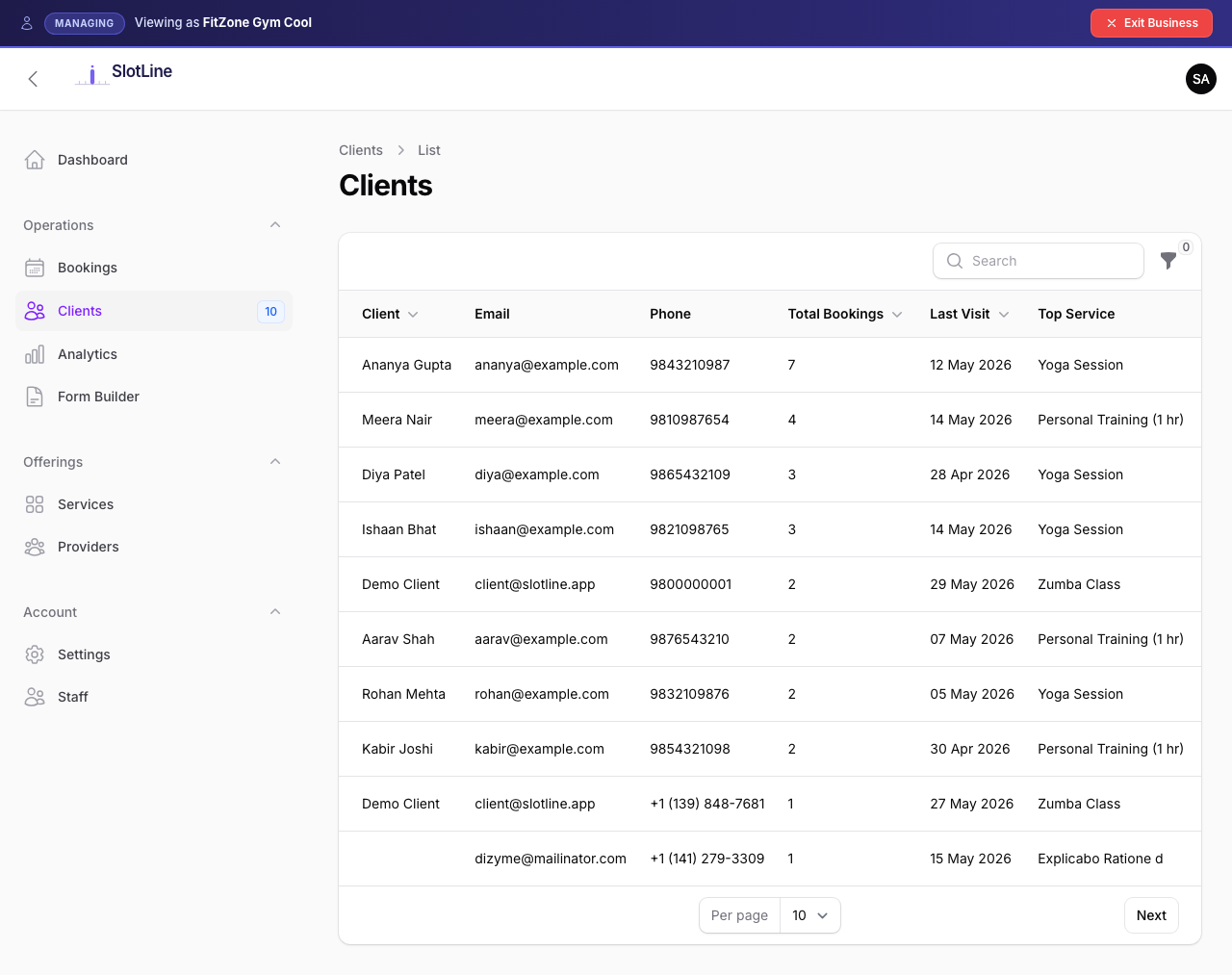
{primary.fa-users} The Clients badge shows your total distinct client count — a quick measure of your customer base size.
Client Columns Explained
| Column | Description |
|---|---|
| Client | Full name from their most recent booking |
| Email address — click to copy | |
| Phone | Phone number from their most recent booking |
| Total Bookings | All-time count of bookings by this email |
| Last Visit | Date of their most recent booking |
| Top Service | The service they've booked most frequently |
| Total Spent | Sum of all booking amounts collected via Stripe |
{warning.fa-exclamation-triangle} Total Spent only counts Stripe-collected payments. Manually created bookings are excluded even when the service has a price.
Viewing a Client's Bookings
To see the full booking history for a specific client:
- Find the client in the list
- Click the Bookings action button (calendar icon in the row actions)
- You are taken to the Bookings list — pre-filtered by that client's email
This shows all bookings for that email including past, upcoming, cancelled, and no-shows.
Filtering & Export
Filter the client list to find high-value customers or segment by service:
| Filter | Purpose |
|---|---|
| Search | By name or email |
| Service | Clients who have booked a specific service |
| Date Range | Clients whose last visit falls within a range |
Use Export to download the filtered client list as Excel or CSV — useful for email campaigns or CRM imports.
Notes & Behaviour
- Clients are created automatically from bookings — there is no manual "Add Client" button
- The same person using two different email addresses appears as two separate client rows
- Total Spent counts only bookings paid via Stripe — manually created bookings are not included
- Cancelling a booking does not remove the client — the row stays, total bookings count stays, but the cancelled booking is included in their history
- Deleting all bookings for a client will remove their client row on the next data sync