Email Templates
- How the Email System Works
- Email Layouts
- Email Templates
- Available Templates
- Placeholder Reference
- Live Preview
How the Email System Works
Slotara's emails are built from two layers:
┌──────────────────────────────────────┐
│          Email Layout                │
│  (header, logo, footer wrapper HTML) │
│                                      │
│   ┌──────────────────────────────┐   │
│   │      Email Template          │   │
│   │  (subject + body content)    │   │
│   │  inserted at @{{BODY}}        │   │
│   └──────────────────────────────┘   │
└──────────────────────────────────────┘- Email Layouts — the outer HTML shell shared by all emails (logo, colours, header, footer)
- Email Templates — the subject line and body content specific to each email event
- At send time, the template body is injected into the layout at the
{{BODY}}placeholder
Email Layouts
| Field | Description |
|---|---|
| Name | Internal label for this layout |
| Body | Full HTML including {{BODY}} where template content is injected |
| Is Active | Only one layout can be active — it applies to all outgoing emails |
{warning.fa-exclamation-triangle} Your layout HTML must contain
{{BODY}}. Without it, all outgoing emails will render completely empty.
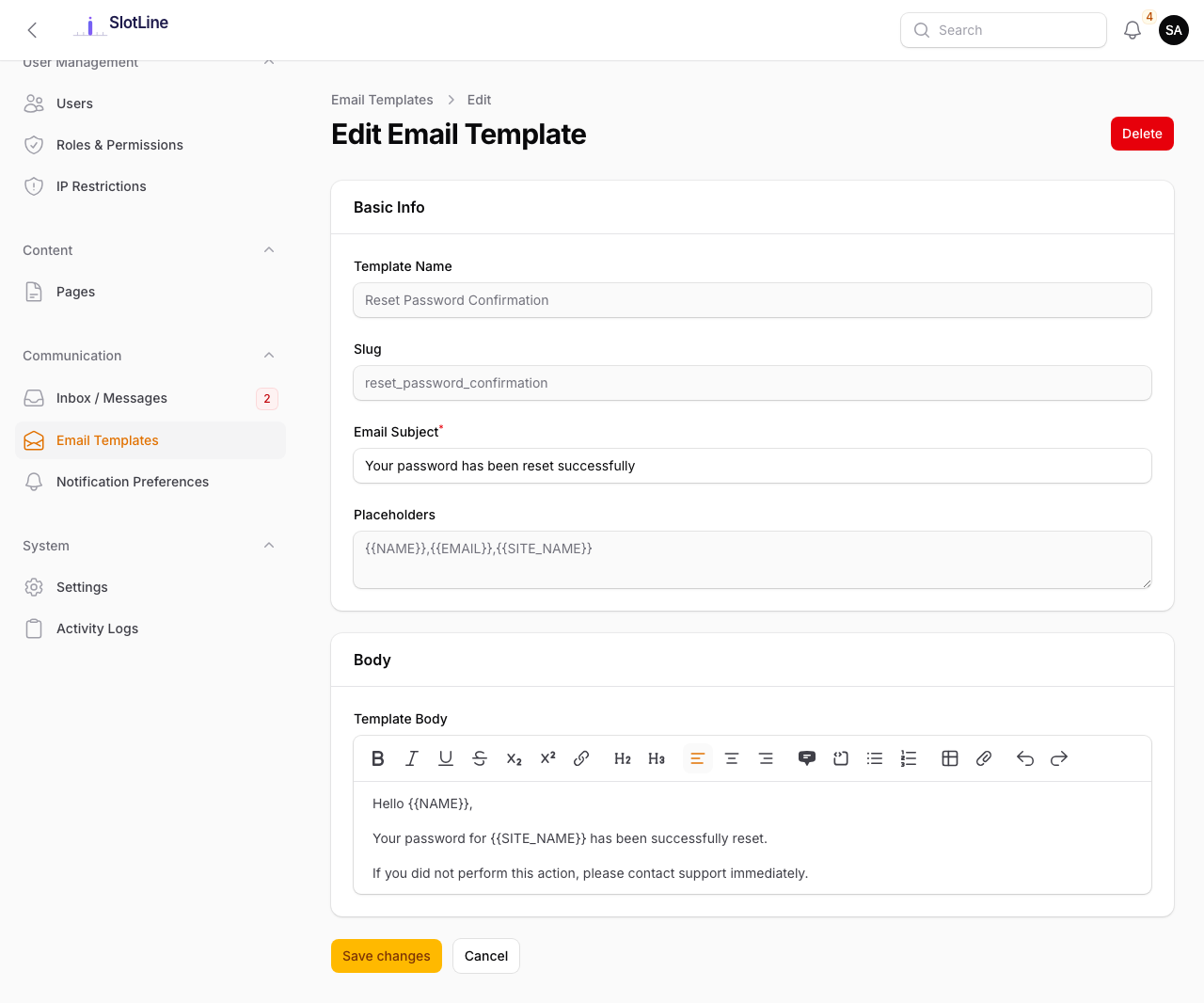
Email Templates
| Field | Description |
|---|---|
| Slug | System identifier — do not change (used in code to look up the template) |
| Name | Friendly display name for the admin interface |
| Subject | Email subject line — supports {{PLACEHOLDER}} syntax |
| Body | HTML email body — supports {{PLACEHOLDER}} syntax |
| Is Active | Toggle off to revert to the built-in default template |
{primary.fa-info-circle} Disabling a template does not stop that email — it falls back to the built-in default. To stop an email entirely, disable it in code.
Available Templates
| Slug | Triggered When |
|---|---|
booking_confirmation |
Client completes a booking (paid or free) |
booking_cancellation |
A booking is cancelled by client or staff |
admin_contact_reply |
Admin replies to a contact form submission |
contact_confirmation |
Client submits the contact form successfully |
Placeholder Reference
Use {{PLACEHOLDER}} syntax anywhere in a subject or body field.
Universal placeholders — available in all templates:
| Placeholder | Inserts |
|---|---|
{{SITE_NAME}} |
The platform name (from Settings → Branding) |
{{SITE_EMAIL}} |
The from email address |
{{SITE_LOGO}} |
Absolute URL to the logo image |
{{CURRENT_YEAR}} |
Current 4-digit year (for copyright lines) |
{{RECIPIENT_NAME}} |
Full name of the email recipient |
{{RECIPIENT_EMAIL}} |
Email address of the recipient |
Booking placeholders — available in booking confirmation & cancellation:
| Placeholder | Inserts |
|---|---|
{{NAME}} |
Client's name |
{{SERVICE}} |
Name of the booked service |
{{PROVIDER}} |
Name of the assigned provider |
{{DATE}} |
Formatted booking date |
{{TIME}} |
Booking start time |
{{CANCEL_URL}} |
Unique cancellation link for the client |
Contact reply placeholders — available in admin_contact_reply:
| Placeholder | Inserts |
|---|---|
{{MESSAGE}} |
The client's original message from the contact form |
{{REPLY}} |
The admin's reply text |
{{CONTACT_US_URL}} |
Link back to the contact page |
Live Preview
Click Preview on any template to open a rendered email with realistic sample data — before sending it to any real address.
Use the preview alongside the Send Test Email button in Settings → Email to verify end-to-end delivery and rendering in your email client before going live.